
Hi,
If you're having trouble with your game resolution when launching MOUSE: P.I. For Hire you can configure the launch resolution in your Steam Settings prior to opening the game.
To do this, from your Steam Library select the "Manage" cogwheel and select the "Properties" option.
From the Properties menu on the General Page there is a text box to enter "Launch Options".
Below are the Resolution & Fullscreen mode launch arguments:
-screen-fullscreenOverride the default full-screen state. This must be 0 or 1.-screen-heightOverride the default screen height. This must be an integer from a supported resolution.-screen-widthOverride the default screen width. This width value must be an integer from a supported resolution.
When configured this should look something like below.
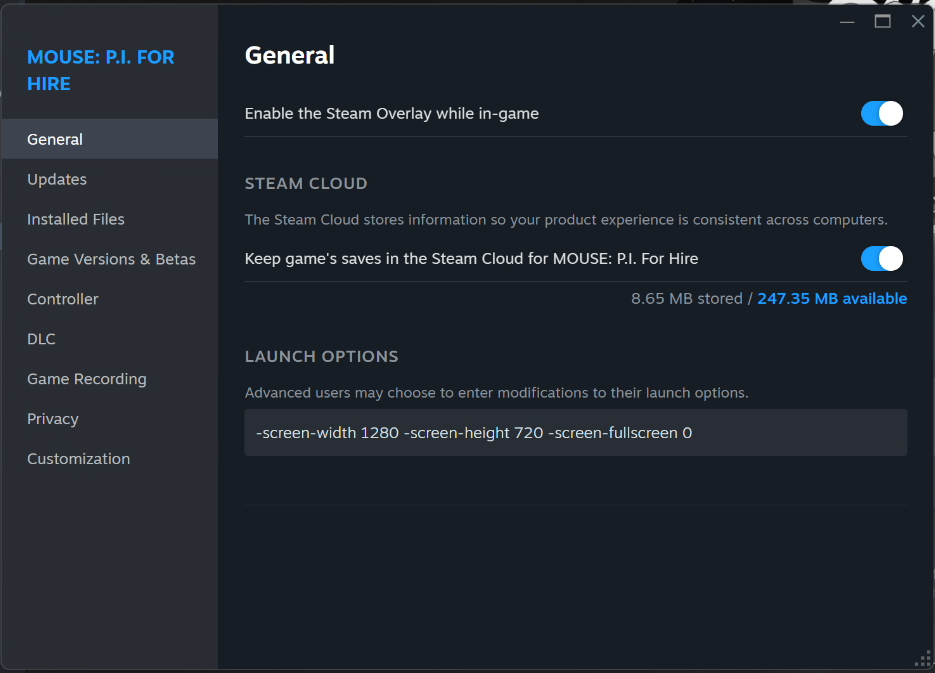
These settings can of course be configured in the in-game Settings Menu as well.